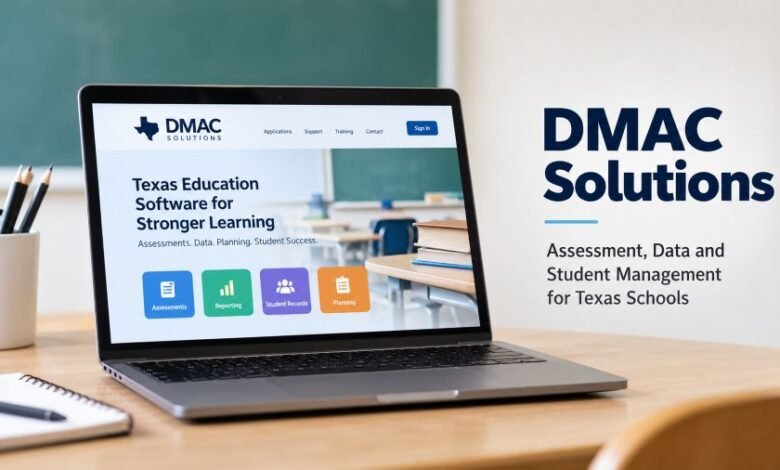
DMAC Solutions: How Texas Schools Manage Testing, Data, and Student Progress
From classroom assessments to student records, a closer look at the Texas education software that helps teachers and school administrators handle their daily work.

Last Updated on October 25, 2026 by Business Blog Media Editorial Team
Schools collect a lot of information. Test scores, student records, and teacher reports pile up fast. Keeping everything organised takes time.
That is where DMAC Solutions comes in.
This Texas-based education software helps schools manage assessments, track student progress, and prepare academic reports. Teachers can check results. Administrators can review school performance. Both can work with information stored in one connected system.
But what does the platform actually offer? How much does it cost? And who runs it?
Here is what the official information shows.
Quick Facts
| Detail | Information |
|---|---|
| Name | DMAC Solutions |
| Full Form | Data Management for Assessment and Curriculum |
| Established | 1999 |
| Industry | Education Technology |
| Location | Kilgore, Texas, USA |
| Developed By | Region 7 Education Service Center |
| Software Type | Cloud-based education software |
| Main Users | Texas PK–12 schools and districts |
| Main Services | Assessments, reporting, planning, appraisals |
| Pricing Model | Annual contracts |
| Official Website | dmac-solutions.net |
| Support Number | 1-866-988-6777 |
| Support Email | support@dmac-solutions.net |
What Is This Education Platform?
DMAC is a collection of web-based applications developed for Texas educators.
Its full name is Data Management for Assessment and Curriculum. The software helps schools organise academic information and use test results to support classroom instruction.
Think about a normal school day.
A teacher gives students a test. Once the results are ready, the teacher needs to find which questions caused problems. Some students may need extra support. Others may be ready for harder lessons.
Doing that manually takes time.
DMAC brings assessment information into its reporting tools. Teachers can study results and spot learning gaps without building every report from scratch.
School leaders can work with the same information according to their access permissions.
Basically, it connects several school tasks.
The platform is specifically built for Texas schools. Its applications support state education requirements and assessment systems.
The Story Behind the Software
DMAC dates back to 1999.
The software was developed through the Region 7 Education Service Center, an educational service organisation based in Kilgore, Texas.
Region 7 continues to maintain the platform through its own team of software engineers and education content specialists.
That connection matters.
The system was built around Texas education requirements rather than general business reporting. Its tools support state assessments, local testing, curriculum work, and student documentation.
Over time, the platform expanded.
Today, schools can choose from multiple applications covering different administrative and instructional needs.
Its official website describes it as cloud-based software for Texas K–12 educators.
Who Owns and Manages the Platform?
DMAC operates as part of the Region 7 Education Service Center.
Its software development and maintenance work takes place within that organisation.
The official staff directory identifies Tonja Baron and Sarah Deller as directors. Anita Luff is listed as Deputy Director of DMAC.
The service also works with regional education partners that provide support and training to Texas schools.
This management structure is different from a typical privately owned software startup.
The platform is connected directly to an educational service organisation.
Main Features and Services
The software has several applications. Each one handles a different part of school work.
Some focus on tests. Others deal with student records, teacher evaluations, or school improvement plans.
Here is how the main tools work.
1. TAG Helps Teachers Build Tests
Teachers regularly prepare classroom assessments.
Writing every question from scratch can take hours. TAG gives educators access to assessment items that they can select when preparing tests.
TAG stands for TEKS Assessment Generator.
It supports content connected to Texas education standards. Educators can also create their own assessment items.
A teacher can build a test, review its content, and prepare it for use with the school’s testing process.
This makes test preparation easier to manage.
2. TEKScore Handles Assessments and Results
Creating a test is one task. Checking the results is another.
TEKScore handles local assessments.
Schools can administer tests online or on paper. Once results are available, teachers can generate reports and study student performance.
The reports help identify missed questions and areas needing attention.
For example, a mathematics teacher may discover that students understand basic calculations but struggle with a particular topic.
That information can guide the next lesson.
3. State Assessment Tracks Academic Performance
Texas schools use several state assessment systems.
DMAC’s State Assessment application supports reporting for STAAR, TELPAS, and interim assessments.
Educators can review results at different levels, depending on their permissions.
They may examine district performance, campus results, classroom information, or individual student records.
The application also supports reporting connected to education accountability measures.
For school administrators, this provides a practical way to review academic performance using available assessment data.
4. Student Portfolio Keeps Academic Records Together
Student information changes every year.
A student may move between teachers, enter a new grade, or receive extra learning support.
Student Portfolio keeps different types of information connected to an individual student record.
Depending on the data uploaded and applications purchased, authorised staff can review assessment history, class schedules, learning plans, testing supports, and related documentation.
This helps schools study progress across school years.
It also reduces the need to search several separate records for the same student’s information.
5. Learning Plans Support Students Needing Help
Some students need additional academic support.
Schools must document that support and check whether the student is improving.
Learning Plans allows authorised educators to create and maintain plans connected to processes such as Accelerated Learning Plans and Multi-Tiered System of Supports.
Staff can document interventions and monitor progress through the application.
The important part is follow-up.
Schools need to see whether their support plans are working. Keeping the records together helps staff review what has already been tried.
6. Teacher and Principal Appraisals
School evaluations require documentation.
DMAC offers T-TESS and T-PESS applications for teacher and principal appraisal processes.
These tools support electronic documentation, appraisal records, and signatures.
They also provide reporting features connected to the Teacher Incentive Allotment.
The applications help authorised staff keep required evaluation records in one system.
7. PlanWorks Supports School Improvement Plans
Schools prepare improvement plans throughout the year.
Those plans may cover academic targets, resources, and areas requiring attention.
PlanWorks helps districts and campuses develop and maintain improvement plans connected to state and federal requirements.
Staff can prepare planning documents and manage related information through the application.
It also allows multiple authorised users to work with planning records.
8. FormWorks Creates Online Forms
Paperwork never seems to disappear.
Schools need forms for many activities. FormWorks allows staff to create online forms and collect information.
Some forms can operate independently. Others can connect with DMAC applications.
This gives schools another way to manage documentation without relying entirely on printed forms.
How Does the System Work?
Getting started involves a few basic tasks.
First, a school chooses the applications it needs.
Next, district administrators arrange the required accounts and permissions.
The school then provides relevant information, such as class rosters and assessment records.
After setup, authorised educators can use their purchased applications through an internet browser.
For example, a teacher might use TAG to prepare an assessment and TEKScore to review the results.
The process is connected.
Schools do not need to install their own servers to run the web-based applications.
However, they still need proper account setup, data management, and user training.
Who Can Use the Software?
The platform serves Texas public schools and charter schools across the PK–12 education system.
Different users have different responsibilities.
Teachers can work with assessments, review results, and access records for their assigned students.
School administrators can review campus information and manage authorised school-level tasks.
District staff can manage broader reporting, planning, and administrative responsibilities.
Students can access online assessments when their school provides the required testing information.
Access depends on the school’s subscription and assigned user permissions.
Is It Free or Paid?
DMAC uses annual software contracts.
Schools select the applications they need rather than automatically receiving every tool under one subscription.
Some applications are purchased at district level. Others are available at campus level.
The official website directs schools to request pricing information or a demonstration.
Specific optional assessment content has published prices.
For the 2026–27 school year, DMAC announced the following TAG item-bank options:
- TEKSready: $1.75 per student.
- DMAC Pre- & Post-test Items: $1.00 per student.
These are prices for optional assessment content, not the full software platform.
Access requires the relevant subscriptions, including TAG, TEKScore, and Class Roster.
Schools should contact DMAC directly for current application pricing.
How to Access Your Account
Educators and students use separate sign-in options.
Educator Access
Teachers and administrators can visit the official website at https://www.dmac-solutions.net/.
From there, they can select the educator sign-in option.
Users need an account arranged through their school or district.
Student Access
Students taking online assessments can use:
https://apps.dmac-solutions.net/student/
According to DMAC’s testing instructions, students may need their state or local ID, date of birth, and test ID.
Their school provides the relevant testing information.
Students should follow their teacher’s instructions before starting an assessment.
What About Student Privacy?
Student data is sensitive.
Schools store academic records, identification information, test scores, and other details.
DMAC’s privacy statement explains that the platform processes student information under the direction of participating schools and districts.
Its documentation also discusses the Family Educational Rights and Privacy Act, commonly called FERPA.
Access permissions are an important part of this process.
Teachers should only receive access to student information allowed by their assigned roles.
The company states that it does not sell users’ personal information to third parties.
Its privacy policy also describes security measures for protecting information, while acknowledging that no online system can guarantee absolute security.
Parents who need access to or corrections in their child’s information should normally contact the school or district handling those records.
Recent Software Updates in 2026
The platform continued receiving updates during 2026.
Several changes appeared in its official news section.
In June, DMAC published updates related to item analysis, student performance exports, and assessment reports.
On June 25, it announced a feature allowing students to return to scored online tests when that option is enabled in TEKScore.
In July, new item-bank options were announced for TAG.
Then, on August 14, DMAC published information about creating LIFT forms and granting access to them.
These announcements show continuing development of its existing school applications.
Schools can check the official news section for further changes.
Benefits for Teachers and School Administrators
Less Manual Reporting
Teachers already manage busy schedules.
Generating reports through assessment software can reduce some manual work.
That leaves more time to study the actual results.
Easier Progress Tracking
A single test does not tell the whole story.
Schools need to study performance over time.
Student Portfolio and assessment reporting tools help authorised staff review available historical information.
Better Access to School Records
Searching through separate files gets frustrating.
Connected applications can make it easier to find information when it has been uploaded and organised correctly.
Support for Texas Requirements
Texas schools work with specific assessment systems and educational standards.
DMAC was developed for those requirements.
This makes its Texas-focused features especially relevant to the schools it serves.
Limitations Schools Should Consider
No software handles every task perfectly.
DMAC is built for Texas educators. Schools outside Texas may not find its specialised applications suitable.
Cost also depends on the selected modules.
Schools need to check their requirements before purchasing a subscription.
Data setup matters, too.
Without accurate rosters and assessment information, reports may be incomplete or less useful.
Staff training is another consideration.
Teachers need to understand the tools before relying on them for their daily work.
DMAC offers virtual training and support resources to help schools with setup and regular use.
Customer Support and Training
The company provides helpdesk assistance, online resources, and training.
Its official website includes application instructions and learning materials.
Schools can also work with regional education partners.
DMAC states that unlimited virtual training is available without an additional charge to users.
For technical assistance, users can contact:
Phone: 1-866-988-6777
Email: support@dmac-solutions.net
Business Hours: Monday to Friday, 8:00 AM to 4:30 PM, Texas local time.
Address: 1909 North Longview Street, Kilgore, Texas 75662, United States.
Teachers experiencing account problems can also contact their district or campus administrator.
Why Schools May Choose This Platform
Choosing school software involves real decisions.
Does it support existing assessment requirements? Can teachers understand the reports? Will it handle the records the school needs?
DMAC has tools addressing those specific tasks.
It combines assessment management with student documentation and school planning.
Still, schools should check individual applications before buying.
A school needing only local testing may choose a different package from a district managing appraisals and improvement plans.
The right choice depends on actual school requirements.
Final Thought
DMAC Solutions has served Texas education since 1999.
Its focus remains clear.
It helps schools manage academic information, run assessments, and keep important records organised.
Teachers can review performance. Administrators can work with reports and plans. Schools can select applications based on their needs.
That is the main idea.
For Texas schools considering the software, reviewing the available applications and requesting a demonstration is a sensible starting point.
Frequently Asked Questions
1. What is DMAC Solutions used for?
It helps Texas schools manage student assessments, academic reporting, teacher appraisals, learning plans, and other educational records.
2. What does DMAC stand for?
DMAC stands for Data Management for Assessment and Curriculum.
3. Who developed the software?
It was developed through the Region 7 Education Service Center in Texas.
4. When was the platform established?
DMAC dates back to 1999, according to its official website.
5. Is the software free?
The platform uses annual contracts. Schools purchase selected applications, although some resources and training are offered without separate charges.
6. Can students use the platform?
Yes. Students can use its online testing system when their schools provide the required access details.
7. Does it support STAAR assessments?
Yes. Its State Assessment application includes reporting and analysis for STAAR results.
8. Where can schools get technical support?
Schools can contact the official helpdesk at 1-866-988-6777 or support@dmac-solutions.net.